


Setting up Automated Transfers from your SUMA FCU account using SUMA FCU Digital Banking
To schedule a monthly loan payment, follow the steps below:
1. Login to your SUMA Digital Banking
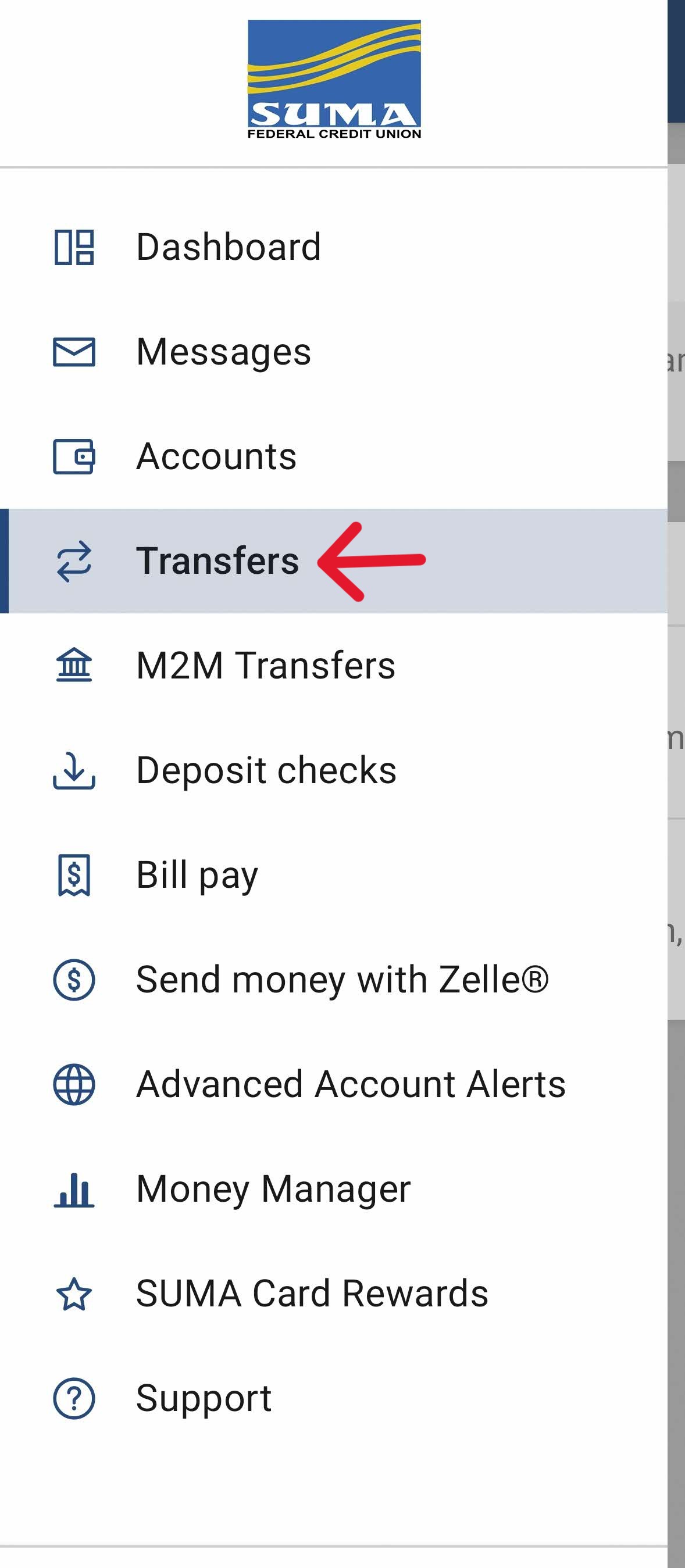
2. Go to main menu "☰" and select "Transfers"
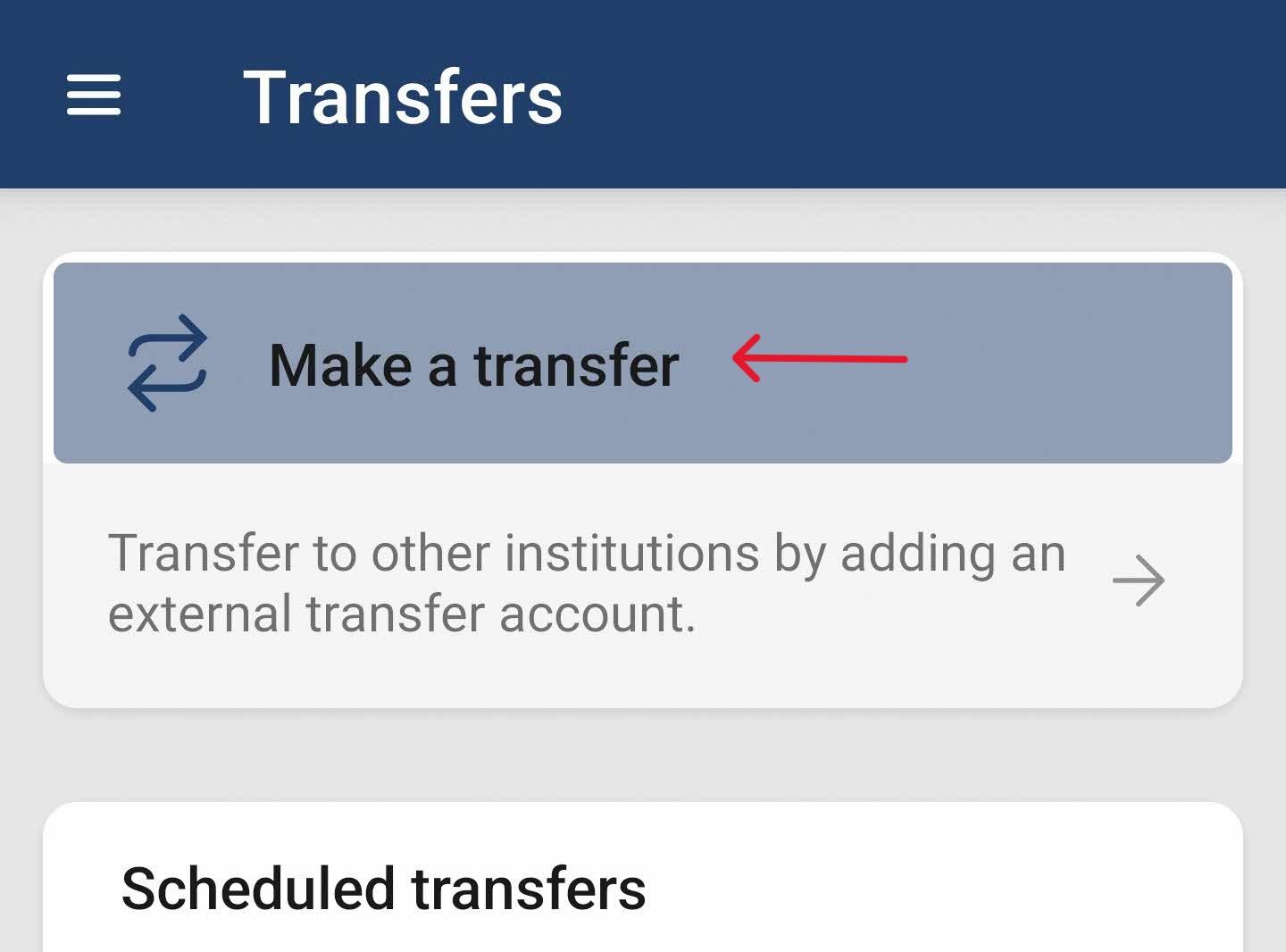
3. Click the "Make a transfer"
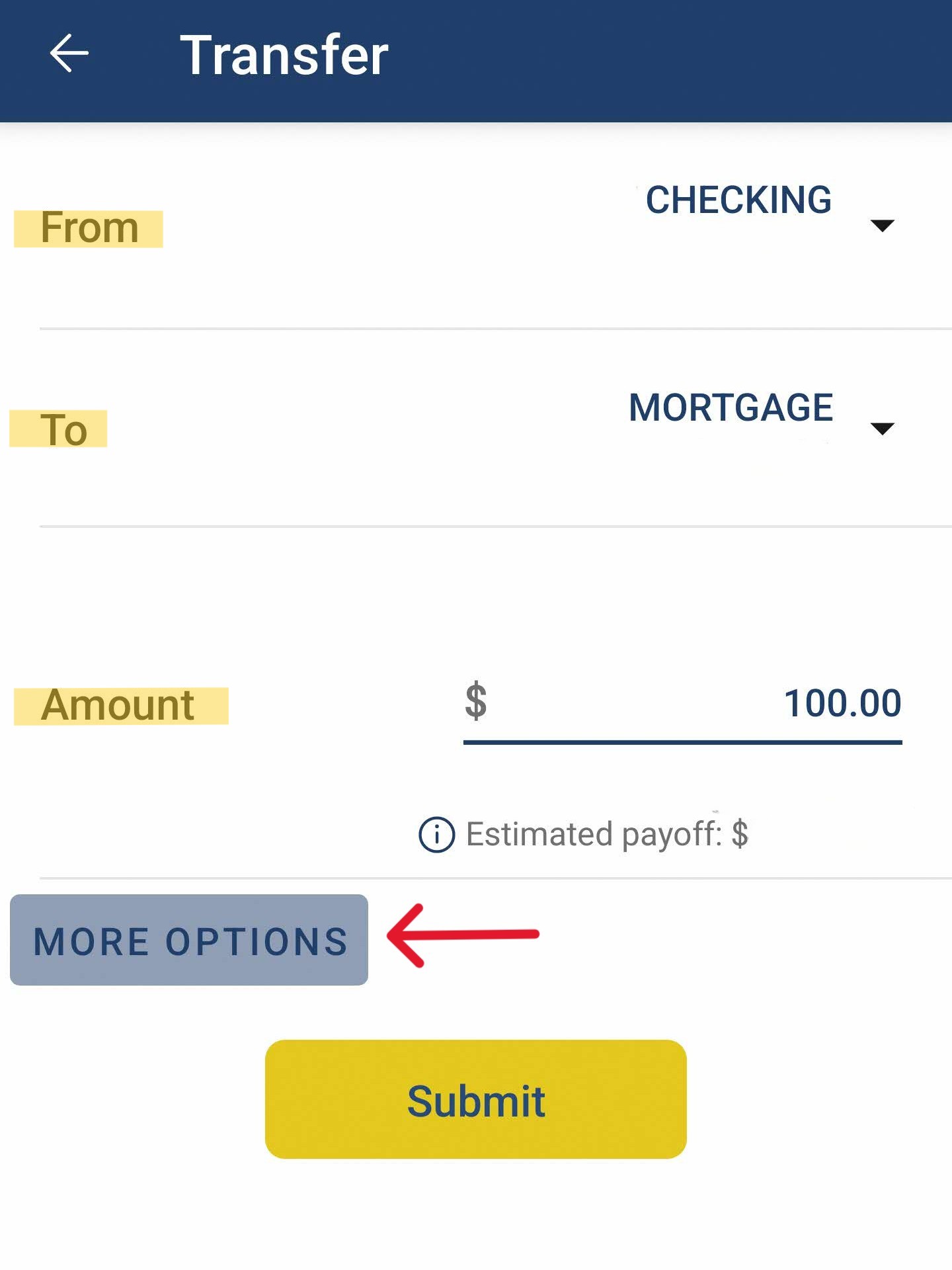
4. Select account "From"
5. Select account "To"
6. Enter payment amount
7. Expand "More Options"
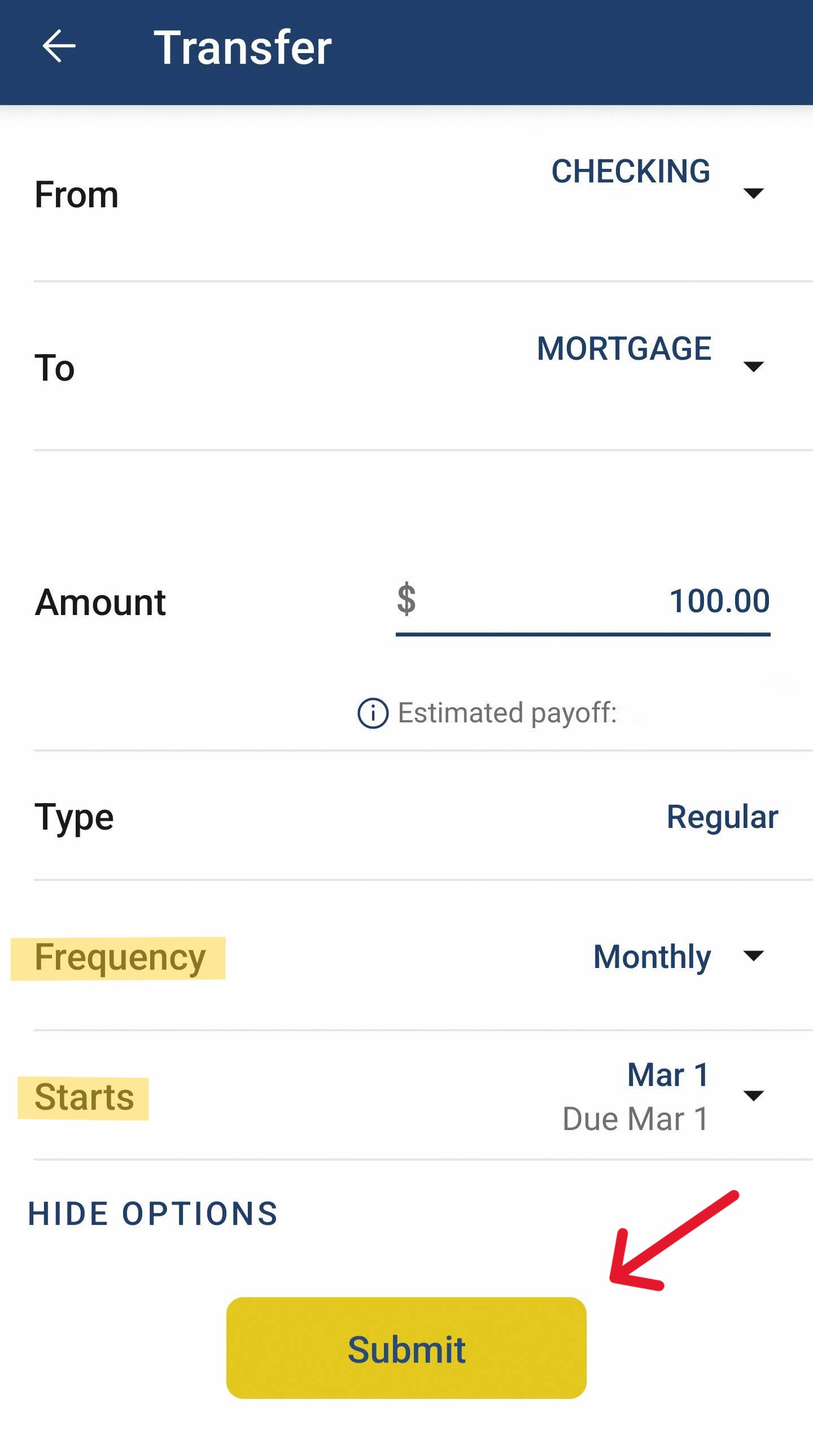
8. Change Frequency to "Monthly"
9. Set payment date
10. Click "Submit"
See final example below before clicking "Submit"
Now, when you go to "Transfers," you will see your payment in the "Scheduled transfers" section.
Note: If you need to delete or change a scheduled payment (amount, date, or account "from"), go to "Transfers" and select it from your list of scheduled transfers.
Do not hesitate to reach out to us with any questions. Contact your loan officer at loan@sumafcu.org or text/call (914) 220-4900.